
Stop Manually Updating Your Links Every Time an Episode Drops
Five places to change, every week, forever — and one of them always gets missed. There's a better way to run your show's links, and it's better for search too.
Share the goodness!
It is Friday morning. The episode is live. Now comes the part nobody put in the podcasting guides.
The Friday ritual
Instagram bio link · TikTok bio link · YouTube About section · newsletter footer · show notes template · X · Facebook page · the Linktree with its own login you have to go find
Five to eight edits. Every week. Forever.
And here is the bit that actually costs you something: one of them always gets missed. Usually the same one. Three weeks later somebody hears you on another show, likes what you said, taps your Instagram bio, and lands on an episode from the middle of last month. They do not think “the link is stale.” They think “this show isn’t very active” and they leave.
You did the hard part — you made a good episode and someone went looking for it. You lost them to a bio field.
The actual fix is one layer of indirection
The reason this is painful is that you are maintaining the same fact in eight places. The fix is to maintain it in one place and point the other eight at it.
You get one page. Every bio, every profile, every footer links to that page, permanently — you never edit them again. When an episode drops, you update the page. Once. Everything else is already pointing at the right thing because it was never pointing at the episode in the first place.
This is not a new idea; it is what link-in-bio pages have always been for. What has changed is what those pages need to do in 2026.
Why the old link-in-bio pages are a problem now
Most link-in-bio tools render their pages with JavaScript. A person’s browser runs the script and sees your links. A crawler often does not — it sees an almost-empty page.
For years that did not matter much. It matters now.
Google has started reporting how your Instagram, TikTok, X and YouTube content performs in Google Search. Google does not build measurement for surfaces it thinks are irrelevant. Your social presence is being treated as part of how people find you.
So look at the shape of that. Every social profile you own points at one page. That page is the hub — the thing that says who you are, what the show is, and where everything lives. And it is the one asset in the chain that a crawler may not be able to read at all.
That is a hole in the middle of exactly the thing search has started paying attention to.
The other job: affiliate links that do not feel buried
There is another reason your link page matters: it is where your money links live.
Most marketing podcasters already recommend tools, books, courses, communities, events or software. Some of those recommendations have affiliate programs. The problem is not whether you have the links. The problem is that they get scattered across episode descriptions, old newsletters, pinned posts and sponsor reads that expire.
A good link-in-bio page gives those affiliate links a stable home. Your Instagram bio, YouTube profile, LinkedIn profile and show notes can all point to one page. That page can carry your current affiliate offers, your disclosure language, and the context people need before they click.
Use it like a mini sponsor shelf:
- Put your top two or three recommended tools near the top, not buried under every social profile.
- Label affiliate links plainly so the recommendation feels trustworthy.
- Swap seasonal campaigns, launch links and sponsor offers in one place instead of editing every bio.
- Use featured links when a partner, event or product needs temporary priority.
This is especially useful for podcasts because the recommendation often lives longer than the episode. A listener may discover you months later, hear you mention a tool, and go looking for the link. If your link page is current, the affiliate click still has somewhere useful to land.
And if that page is readable to search engines and AI crawlers, the commercial part of your show is not hidden inside a JavaScript-only landing page. The links, the labels and the relationship between your show and the things you recommend are visible.
What we use: OneFront
OneFront is a link-in-bio builder that emits real, valid schema.org JSON-LD and an llms.txt file — structured, machine-readable descriptions of who you are and what you link to. Search engines and AI crawlers can parse your identity and your links directly, instead of guessing at a page they cannot execute.
It also takes 0% of what you earn — always, on every tier including the free one. If your page ever carries a course, a book, live show tickets or a Patreon push, none of it is taxed on the way through. That is worth checking against whatever you use today, because it is not the industry norm.
Which tier actually fixes this — the honest answer is Pro
Here is the decision, stripped down to the only thing that matters.
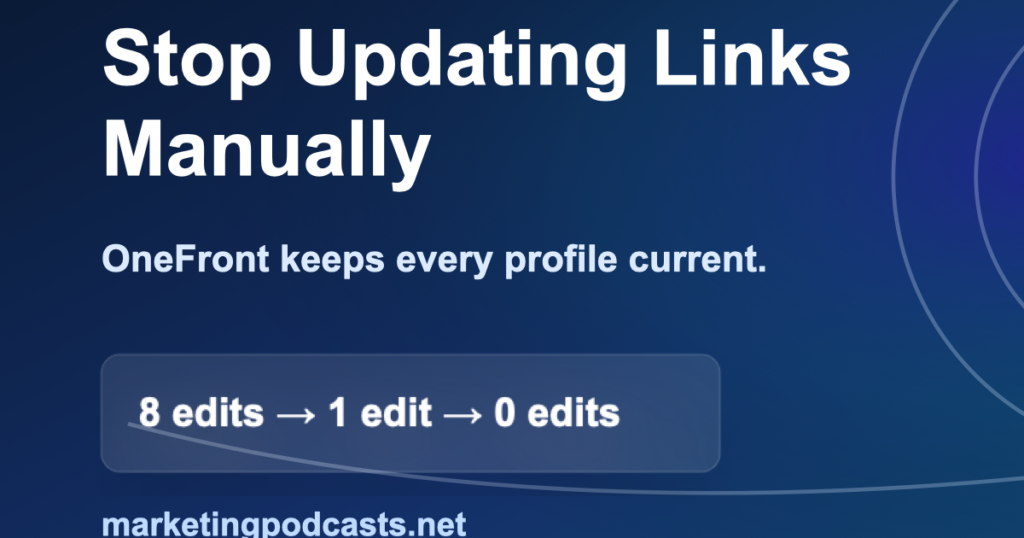
8
weekly manual updates across scattered profiles
1
weekly update on a single OneFront page
0
weekly updates when feeds maintain themselves
Free takes you from eight edits a week to one. That is a real improvement and it costs nothing.
Pro takes you from one to zero. Auto-updating feeds mean your latest episode appears on the page by itself. You publish the episode; the page is already correct. Nobody edits anything, so nobody forgets.
That is the whole pitch. The Friday ritual this article is about does not actually disappear on the free tier — it just gets shorter. It disappears on Pro.
$79 a year is about a dollar fifty a week to permanently delete a chore you have done every week since you launched. If your show is weekly, you spend more than that on the coffee you drink while doing it.
| Feature | Free | Pro | Pages |
|---|---|---|---|
| Price | $0 forever | $9/mo or $79/yr |
$19/mo or $190/yr |
| Friday edits | One | None | None |
| Unlimited links and socials | Yes | Yes | Yes |
| Analytics | Yes | Yes | Yes |
| Fee on what you earn | 0% | 0% | 0% |
| Auto-updating feeds | — | Yes | Yes |
| CRM, webhooks, and API | — | Yes | Yes |
| OneFront badge removed | — | Yes | Yes |
| Video embeds and galleries | — | — | Yes |
| Post publishing and FAQ markup | — | — | Yes |
Pages is the tier to take if your link page should do the job a small website does — unlimited content blocks, video embeds, post publishing, FAQs with search engine markup, galleries, Spotify and Calendly embeds, structured data publishing. For a show without a proper website, and there are a lot of excellent shows without one, this is cheaper and faster than building the site you keep meaning to build.
There is also a Featured Link add-on at $5 for 30 days, no subscription required. Pin a live show, a launch or a sponsor to the top of your page with spotlight styling for a month.
Start free this afternoon if you want to see it work before you pay for anything. Most people upgrade the second Friday, when they realise they are still editing something.
Tell your listeners too. Most of your audience are marketers with the same scattered pile of links in a different shape.
Get paid for the recommendation
OneFront runs a private, hand-reviewed partner program, and if you host a marketing podcast you are talking every week to precisely the people this was built for.
30%
of every Pro subscription you refer — monthly or yearly — for the first 12 months
Clicks, signups and paid conversions tracked per partner. Paid out monthly.
Applications are reviewed manually, so this is a real partnership rather than a link farm. The rules are what you would expect from a program that intends to keep paying: no self-referrals, no coupon or deal sites, no paid search bidding on branded terms, no misleading claims, no spam, and commissions are clawed back on refunds and chargebacks.
To apply, visit onefront.org/partners and follow the instructions on the application page.
Do this today — it takes ten minutes
- Create your page at onefront.org.
- Add your show, your episodes and every link you currently scatter across eight bios.
- Turn on auto-updating feeds so the latest episode maintains itself.
- Change your bio links — all of them, once — to point at that page.
Then never do it again. That is the entire product.
You should not be maintaining the same fact in eight places. Every week that you do, one of them is wrong, and the person who went looking for you is the one who finds it.
Start your page at onefront.org →
Free to try. $9 a month to never think about it again.